01
Draw.
Pick a formation, draw every route and assignment yourself, or ask AI for a starting point when it is enabled.
Football playbook software · Free coach beta
CoachGrind is browser-based football playbook software. Draw the play in your own language, review it in FieldVision 3D, organize the install, and hand your staff and players a finished PDF.
Full manual control. Optional AI support.
Beta testing with real coaches. Free for now. One sport per account.
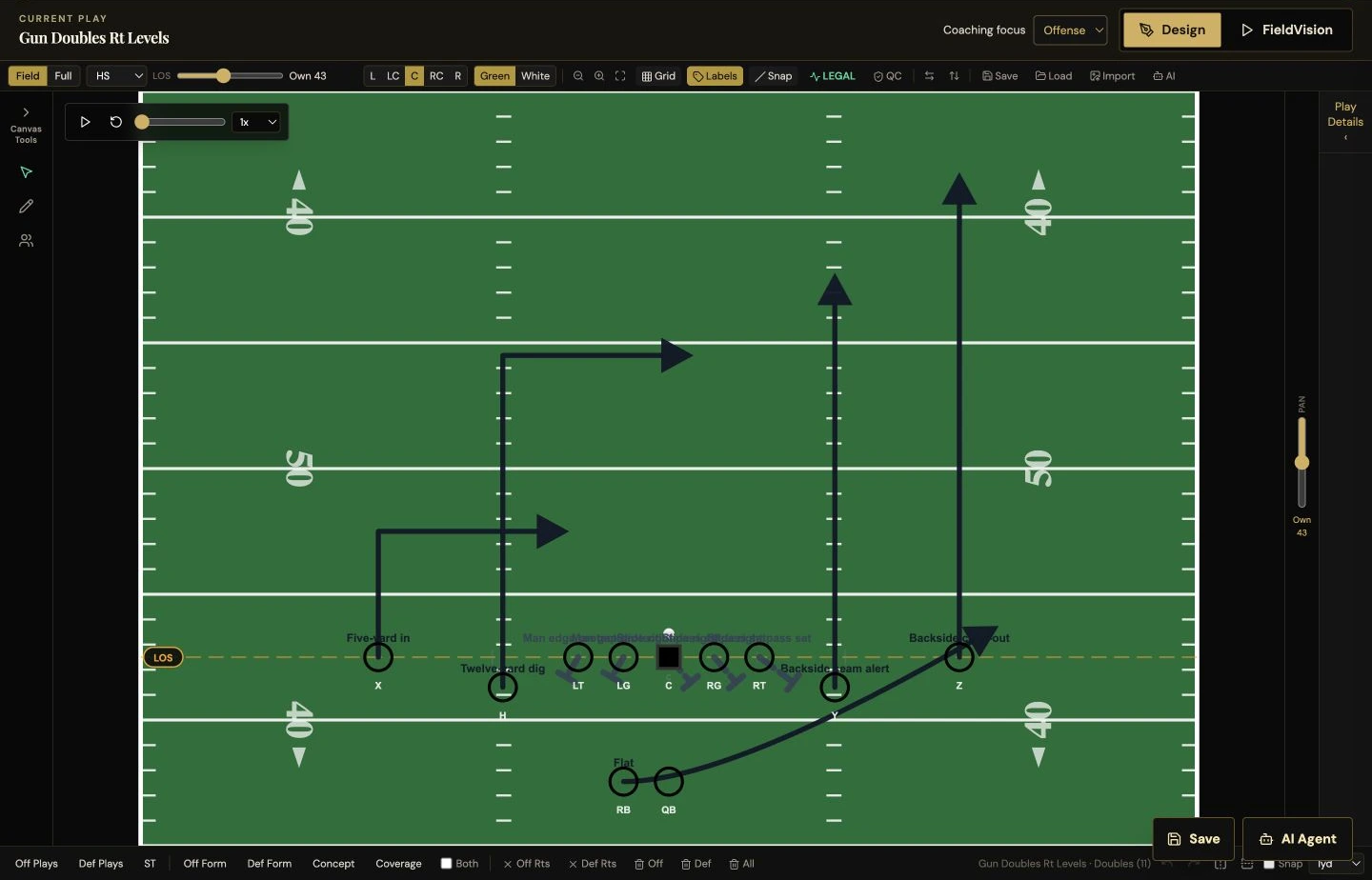
What the football workspace does
Purpose-built football tools, from the first line on the board to the pages in your team’s hands.
Start from a catalog of offensive formations and defensive fronts, or place every player yourself. Personnel and alignment stay legal on the line of scrimmage.
Draw routes with cuts and depth, block assignments, option routes, pre-snap motion and shifts. Reshape any line from its handles.
Give every defender a zone, a man assignment, or a rush path, so the play shows both sides of the ball.
Save plays with formation, concept, and tags. Arrange them into playbook chapters with a clear teaching order.
Plan the week: install schedules and practice scripts pull from the plays you already drew.
Score your library for a down, distance, field zone, and opponent look, and bring a call sheet to the sideline.
From idea to execution
The same flow every week: draw it, watch it, file it, print it.
Pick a formation, draw every route and assignment yourself, or ask AI for a starting point when it is enabled.
Open the play in FieldVision and watch it develop in 3D.
Save it to your library and place it in a playbook chapter.
Preview the pages and download the PDF, scout cards, call sheet, or wristbands.
FieldVision 3D
Open any drawn play in FieldVision. Watch the routes develop, follow the ball, and check spacing and timing from different camera angles before practice.
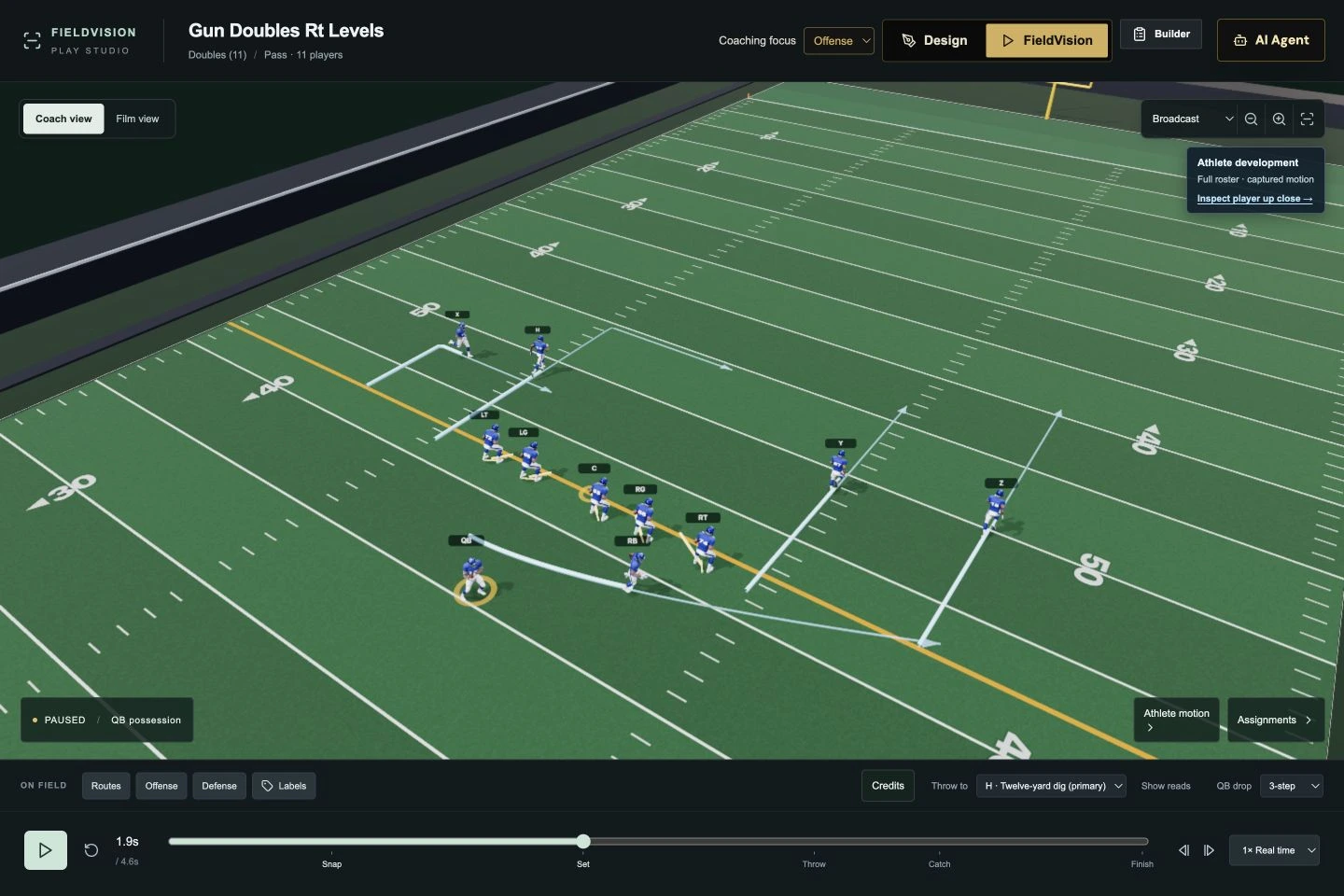 Football in 3D
Optional AI, on your board
“Draw a shotgun doubles play with a levels concept. Give the quarterback a short, intermediate, and deep option.”
When AI is enabled for your workspace it can draft a play like this on your canvas, review what you drew, and apply a requested change. Every manual tool works without it.
See AI work with a real playThe finished product
Playbook Builder turns your saved plays into a book: choose the plays, a layout, and a field color, then preview and export the PDF. Scout cards, call sheets, and wristbands come from the same library.
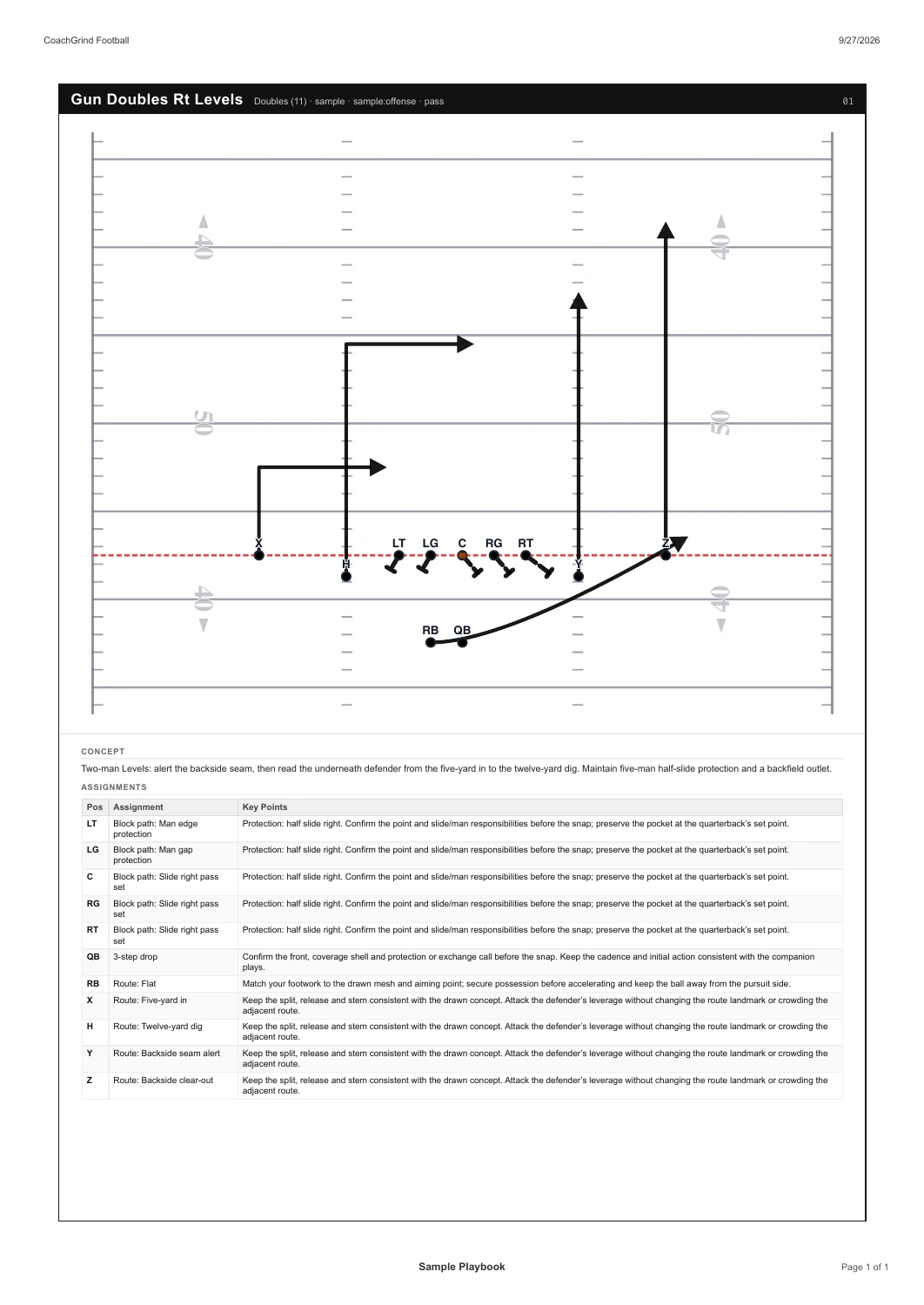
Preview every page before you export, then print the PDF or send the file to your staff and players.
Download the football sampleChoose football or basketball. One sport per free account; team access is managed separately. No credit card. No automatic upgrade. Future paid plans are previews, not available to purchase.
Free beta and planned pricingBefore you get started
Yes. CoachGrind is in beta testing with real coaches and is free for now. A free beta account includes one sport, chosen during setup. Paid subscriptions are planned and are not available to purchase.
Offensive formations and defensive fronts from a catalog or placed by hand, routes with cuts and depth, blocking assignments, option routes, pre-snap motion and shifts, and zone, man, or pressure assignments for every defender. Plays render the same way in the designer, in print, and in the PDF.
Playbook PDFs from Playbook Builder, single-play SVG and PNG diagrams, scout cards, call sheets, and wristbands. Choose the plays, a layout, and a green or white field, then preview before you export.
CoachGrind runs in your browser. The designers are built for a tablet or desktop and work with touch: draw lines with a finger or pencil, drag players, and delete a line from the button on the canvas. 3D playback depends on your device and browser.
AI is optional. When it is enabled for your workspace, it can draft a play from a description, review what you have drawn, and apply a requested change. Every manual drawing tool works without it, and you make the coaching decisions.
No. FieldVision animates the play you drew so you can review movement, spacing, and timing in 3D. Video upload and AI film analysis are planned and are not available in the current beta.
Football / CoachGrind